
1. What gets deleted
When you delete your account, the following is permanently removed from bforbotz:
- Your profile and login.
- Every workspace you own, including its connected Instagram account and the access we were given to it.
- Scheduled and published posts, and your media library.
- Automation flows and their run history.
- Contacts and message and comment history.
- Everything else inside those workspaces, such as AI agent settings and knowledge base documents, store products and orders.
A few things to know before you start:
- Deletion is permanent. Deleted data cannot be recovered, so download anything you want to keep first.
- Your Instagram account is not deleted. Posts, reels and stories already published to Instagram stay on Instagram. Deleting bforbotz only removes our copy of your data and our access to your account. To remove content from Instagram itself, delete it in the Instagram app.
- Only workspaces you own are deleted. Workspaces owned by other people, and their data, stay with their owners.
2. Option 1: Delete your account in the app (recommended)
Step 1: Open Settings
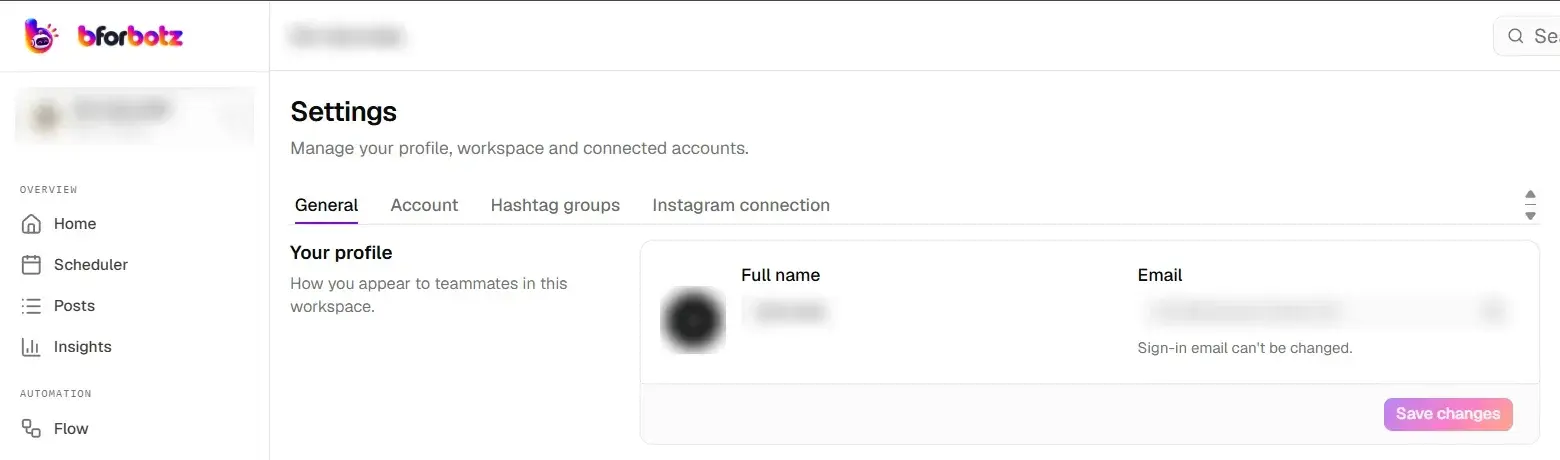
Log in to bforbotz and select Settings in the left sidebar. The Settings page opens on the General tab.
Step 2: Go to the Account tab
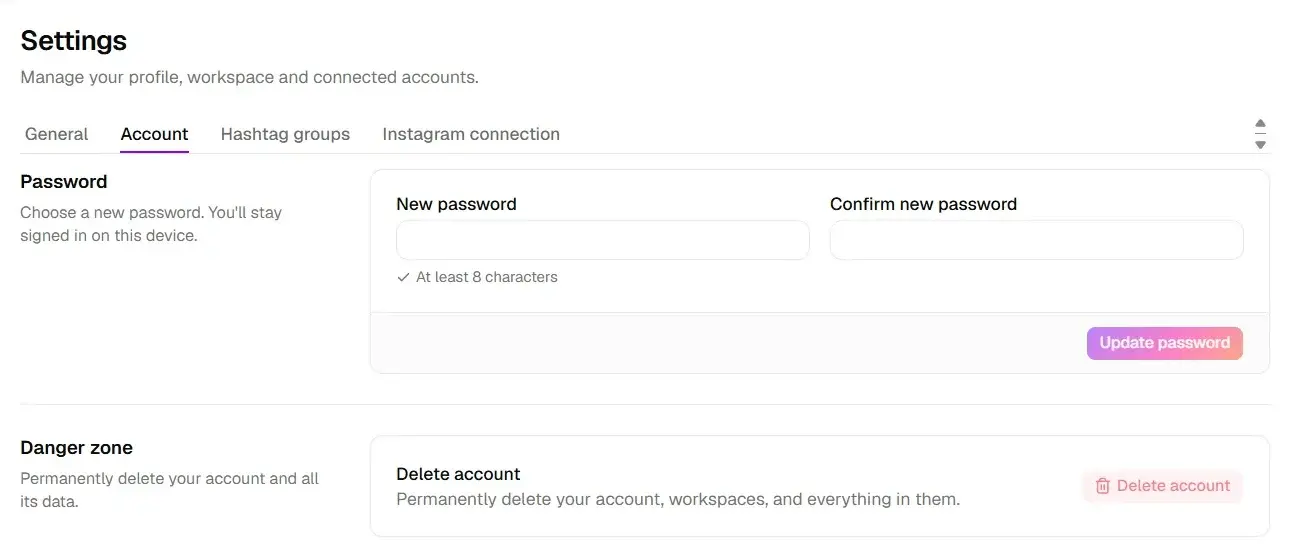
Select the Account tab. Under Danger zone, you will see Delete account, which permanently deletes your account, your workspaces and everything in them. Select the Delete account button.
Step 3: Confirm the deletion
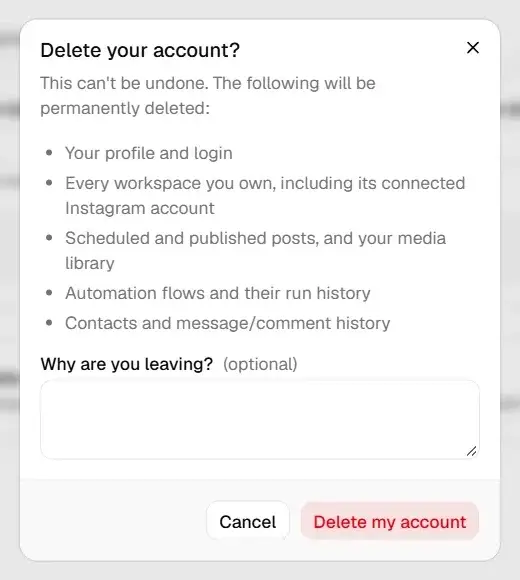
A confirmation window lists everything that will be deleted. You can tell us why you are leaving (this is optional and helps us improve). Select Delete my account to confirm, or Cancel to keep your account.
Once confirmed, your deletion is scheduled and processed within 72 hours, as described in What happens next.
3. Option 2: Remove bforbotz from Instagram
You can revoke bforbotz’s access to your Instagram account directly from Instagram:
- Open Instagram and go to your profile.
- Open Settings and activity → Website permissions → Apps and websites.
- Find bforbotz in the list of active apps and select Remove.
This immediately stops bforbotz from reading or publishing anything on your Instagram account, and your automations stop running. It does not delete your bforbotz account or the data we already hold. To erase that data as well, use Option 1 or Option 3.
4. Option 3: Request deletion by email
If you can’t log in, or you would rather we do it for you, email [email protected]:
- Send it from the email address you use to sign in to bforbotz, so we can verify the account is yours.
- Use the subject line “Data deletion request”.
- Include your Instagram username and the name of your workspace.
If you can’t access that email address, tell us in your message and we will ask for other details to confirm your identity before deleting anything.
5. What happens next
- Confirmation: if you request deletion by email, we reply to confirm we have received it.
- Processed within 72 hours: every deletion request is scheduled and processed within 72 hours. Your personal data, including stored Instagram data, is then permanently deleted. For email requests, the 72 hours start once we have verified the account is yours.
- Legal exceptions: we keep only the limited information we are legally required to retain, such as records needed for tax, accounting or fraud prevention, and only for as long as the law requires.
- No recovery: once deleted, your data cannot be restored. You are welcome to sign up again later with a fresh account.
6. If you messaged a business that uses bforbotz
If you commented on, messaged, or ordered from an Instagram business that uses bforbotz, that business controls your conversation and order details, and bforbotz processes them on its behalf. To have that data deleted, contact the business directly. You can also email us at [email protected] with your Instagram username and the business’s account name, and we will pass your request on and help make sure it is handled.
7. Questions
We are happy to help with anything about your data:
- Email: [email protected]
- Instagram: @bforbotz (send us a DM)
For more on how we collect and use data, see our Privacy Policy and Terms of Service.